Capture a real delivery first
Point the provider's webhook settings at an inspection address and trigger a test event. Most providers have a send test event button, or you can make a test purchase or push a commit.
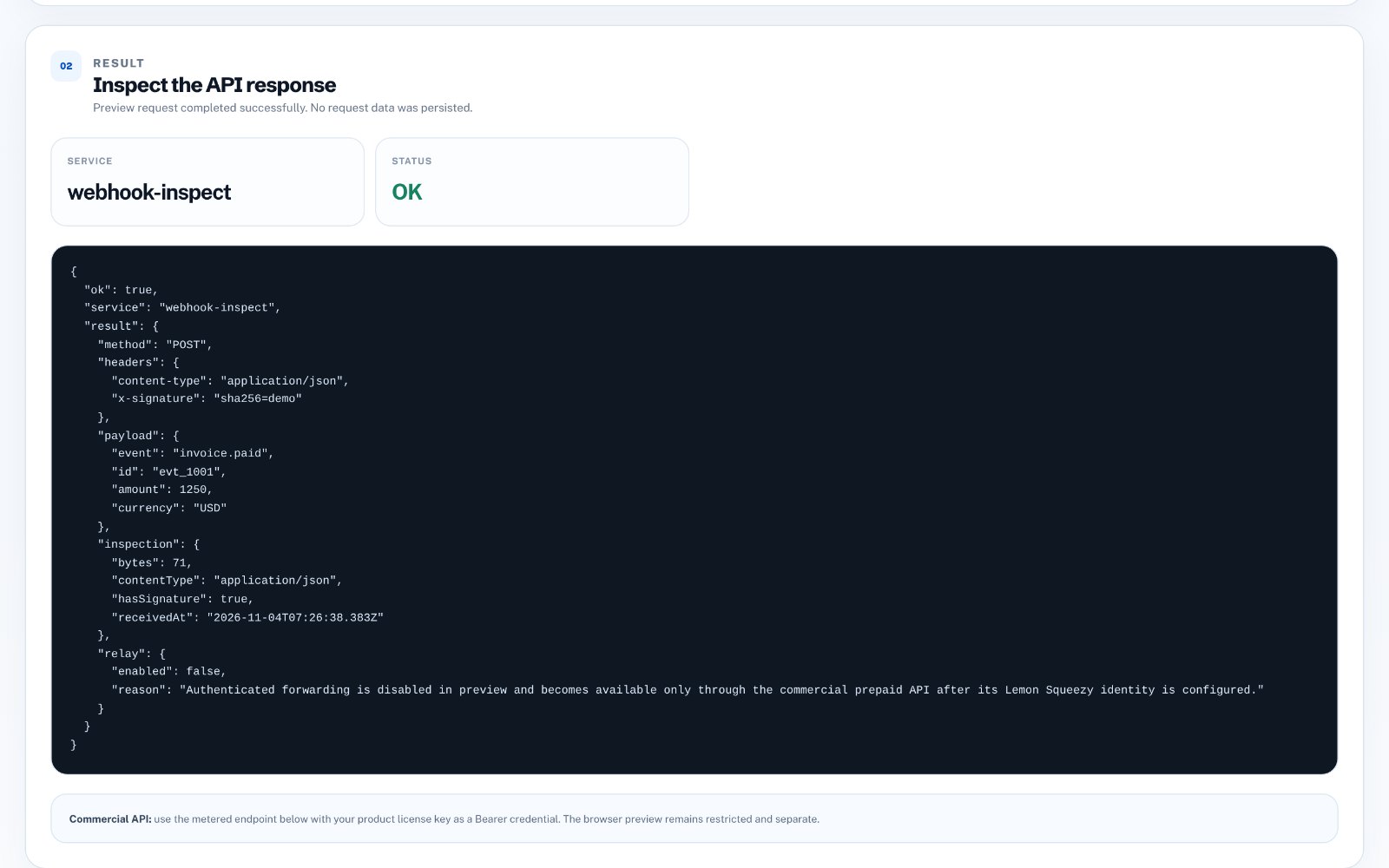
Now you can see what actually arrives: the JSON body, the headers, the content type and the signature header. Build your handler against this, not against the documentation's example.
What to check in each request
Look at the same details every time, because these are where webhook bugs hide.
- Event type: which field tells you what happened
- Payload shape: nested objects, arrays and fields that can be null
- Signature header: the name and format your code must verify
- Content type: JSON or form-encoded
- Event ID: used to ignore the same event if it is sent twice
Verify the signature
Most providers sign each webhook with a secret so you can prove it came from them. Your handler should compute the signature from the raw request body and compare it before trusting anything inside.
A common mistake is verifying the parsed JSON instead of the raw body. Even a change in spacing breaks the signature, so keep the raw body for this check.
Expect retries and duplicates
If your endpoint is slow or returns an error, providers retry, sometimes several times. Your handler should return a success response quickly and use the event ID to skip events it has already processed. Otherwise a retry can create a second order or send a second email.
Replay instead of re-triggering
Once you have a captured request, sending the same payload again to your local or staging app is much faster than making another test purchase. It also lets you test the awkward cases, such as a duplicate delivery, on demand.
Do it with one tool
Webhook Relay & Inspector shows each incoming webhook's payload, headers and delivery details as it arrives, so you can see exactly what a provider sends. When you are ready, it can forward and replay requests to your own endpoint.
Your first 3 uses are free, then it costs $19 once.