Treat OCR as the first draft
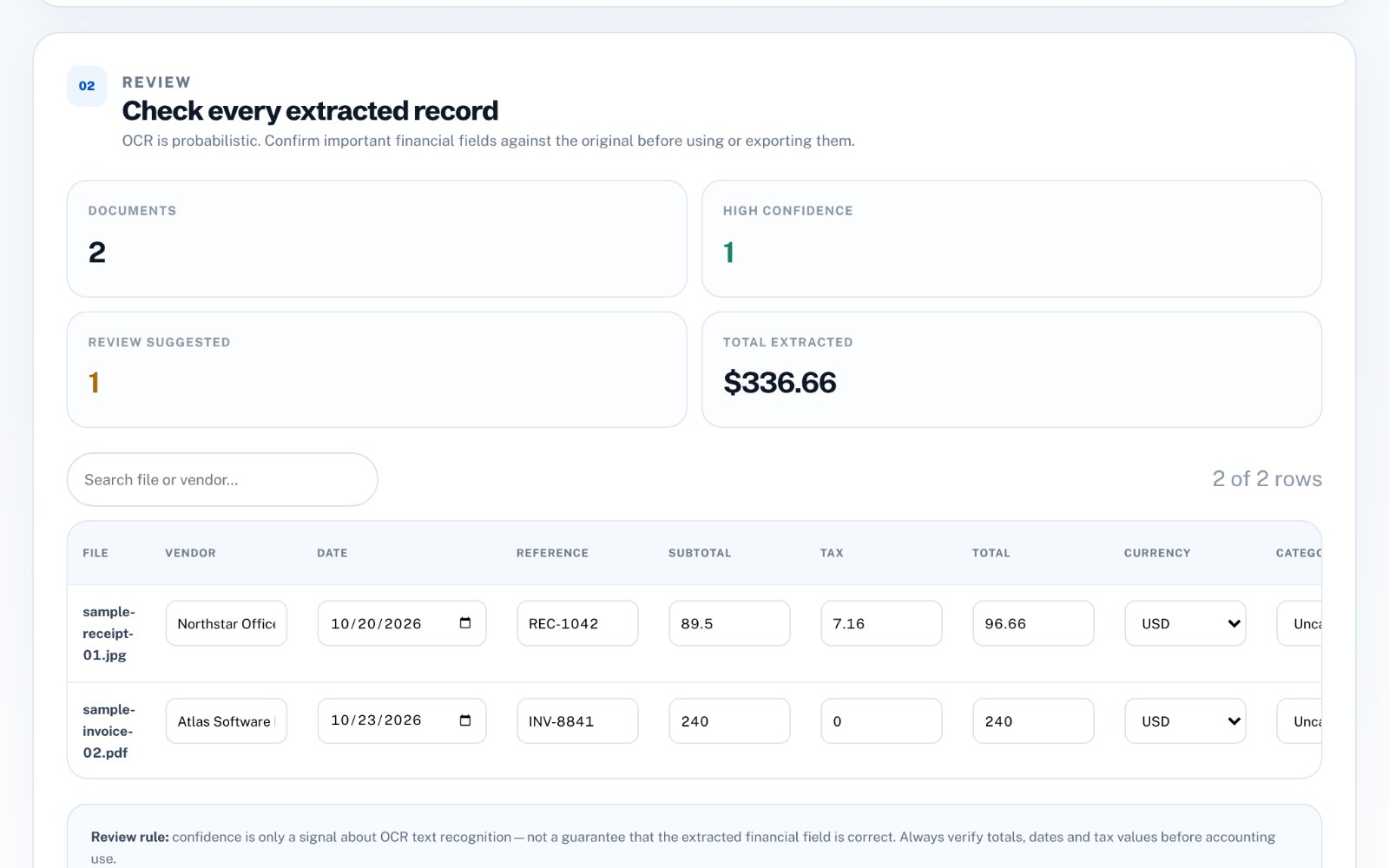
Use extracted values to prefill the record, then compare important fields with the original invoice or receipt. OCR confidence is a useful signal, not a guarantee.
OCR reads characters, not meaning. It can confuse 0 and O, 1 and I, or drop a decimal point, and it does not know which number on a receipt is the total. Treat the result as a fast first draft.
Review the fields that affect money
Vendor, date, subtotal, tax and total deserve the most attention. A small recognition error in one of those fields can affect reporting or reconciliation later.
Check vendor, date, subtotal, tax and total on every record. Make sure subtotal plus tax equals the total; when they do not add up, the OCR has almost certainly misread one of them.
- Vendor
- Date
- Subtotal
- Tax
- Total
- Reference or invoice number
Use categories after the core fields are correct
Categorization is easier once the document identity and financial fields are trustworthy. Apply a category only after the extracted record makes sense.
Assign categories once the money fields are correct. A sensible suggested category saves time, but it is still a suggestion-confirm it for anything that affects tax or reporting.
Export reviewed records, not raw OCR
The CSV should represent the corrected record set. If a document remains uncertain, keep it in review rather than treating the first OCR result as final.
Keep the original image or PDF alongside the exported data. If a figure is questioned later, the source document is the evidence.
Tips for better OCR results
Most OCR errors start with the input. A few minutes spent on better images saves much longer review time.
- Photograph receipts flat, in good light, without shadows
- Crop to the receipt and keep text horizontal
- Prefer original PDFs over screenshots
- Process faded thermal receipts promptly
How to do this in Invoice & Receipt Extractor
zastech Invoice & Receipt Extractor runs OCR in your browser, extracts vendor, date, reference, subtotal, tax, total and currency, suggests a category, and lets you correct every field before exporting CSV. Files are processed locally and are not uploaded to zastech.