Start with two independent records
Use the payout export from the platform as the expected record and the bank or deposit export as the received record. Keeping those sources independent makes discrepancies easier to see.
Export the same period from both sides, then widen the bank export by a few days on each end. Payouts created near the end of a month often land in the next one, and a slightly wider bank window prevents false "missing" results.
Check that the payout export shows the net amount you expect to receive. Some platforms export gross sales and fees separately, so decide up front whether you are matching gross minus fees or the net payout figure.
- Platform payout date
- Expected payout amount
- Payout or reference identifier
- Bank credit date
- Received amount
- Bank description or reference
Allow for settlement timing
A payout created on one day may reach the bank later. Use a reasonable date window instead of demanding an exact date match, then use amount and reference information to narrow likely matches.
A window of two to five business days covers most processors, but use what you actually observe in your own history. Weekends and bank holidays stretch the gap, and international transfers can take longer.
Date formats are a frequent trap. A bank export that writes 05/10/2026 might mean 5 October or 10 May depending on the country. Confirm the date order before you trust any match.
Separate different discrepancy types
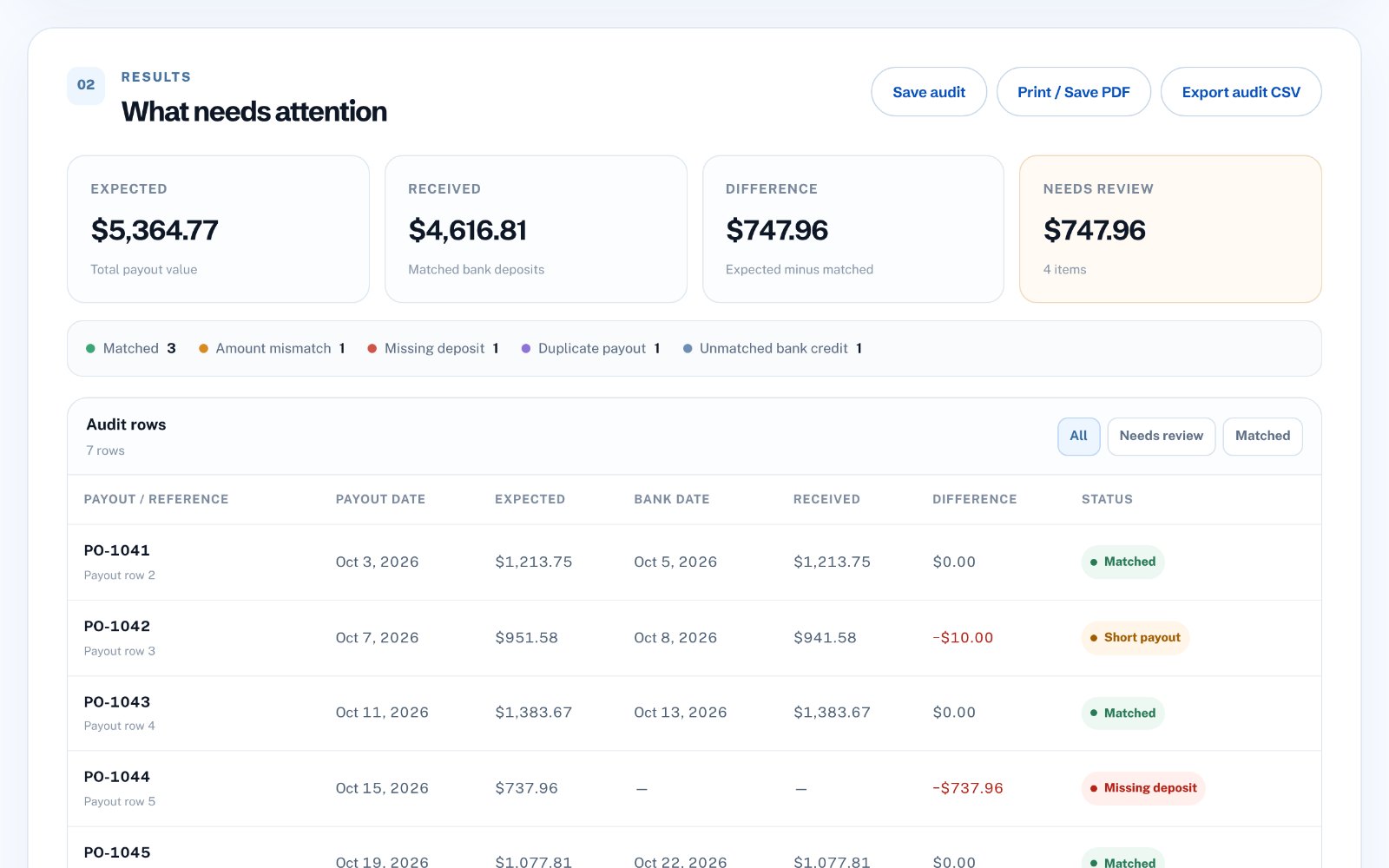
Missing payouts, amount mismatches, duplicate expected records and unexplained bank credits are different problems. Treating them separately makes review faster and keeps one issue from hiding another.
Short payouts usually mean a fee, reserve or currency conversion that the payout export did not show. Unmatched bank credits are often refunds, transfers or deposits from another source-worth labelling, but not necessarily a problem.
- Missing deposit
- Amount mismatch
- Duplicate payout row
- Unmatched bank credit
Keep the audit reproducible
Save the source filenames, settings and final review result. A useful audit is not just the difference total; it is a record of how you reached that result.
Keep the exported result with the period and date of the review. When the next month's audit shows the same unexplained difference, you will know it is a carried-over item rather than a new issue.
Common reconciliation mistakes
The most expensive mistakes are the quiet ones: a mismatch that looks matched because the tool was too loose, or a real payout marked missing because the window was too tight.
- Matching on amount only when several payouts share the same value
- Comparing gross platform totals with net bank deposits
- Ignoring payouts split across two bank credits
- Using the wrong day/month order for bank dates
- Treating refunds and chargebacks as missing payouts
How to do this in Payout Audit
zastech Payout Audit compares a Stripe, PayPal, Wise or custom payout export with a bank deposit export directly in your browser. It matches by amount within a tolerance and a configurable date window, infers the date order from your file, and labels each row as matched, short, missing, duplicate or unmatched. Nothing is uploaded and no bank login is required.