Menu names in Stripe and PayPal change from time to time. If you cannot find an option described here, use the search in the provider's dashboard or help center.
Why the numbers never line up
Stripe collects your card payments into a balance and sends it to your bank as payouts, usually one per day or per schedule you choose. Each payout is the payments for that period, minus Stripe's fees and any refunds or disputes.
PayPal works differently: money stays in your PayPal balance until it is transferred to your bank, either automatically or when you withdraw. One transfer can cover days or weeks of sales.
Both also have timing gaps. A payout sent on Friday may arrive on Monday or Tuesday, so the bank date and the payout date are rarely the same.
Get the payout records, not the sales
In Stripe, open Balances, then Payouts, and export the list. Each payout shows its amount and expected arrival date, and you can open one to see the payments, fees and refunds inside it. Stripe's reports section also has a payout reconciliation report for the same purpose.
In PayPal, use the activity download under Statements and include transfers to your bank. The rows you need are the withdrawals or transfers, not the individual payments.
Export your bank deposits
From online banking, download the same period plus a few extra days at the end, as CSV if possible. The extra days catch payouts that were sent near the end of the month but arrived after it.
Match them in four steps
Work from the payout list toward the bank, one payout at a time.
- Match exact amounts first, within a window of about five days after the payout date
- Then match small differences, which are usually currency conversion or bank fees
- Mark payouts with no deposit yet as in transit if they were sent in the last few days
- Investigate anything left: a missing payout, a returned transfer or a deposit from somewhere else
What a mismatch usually means
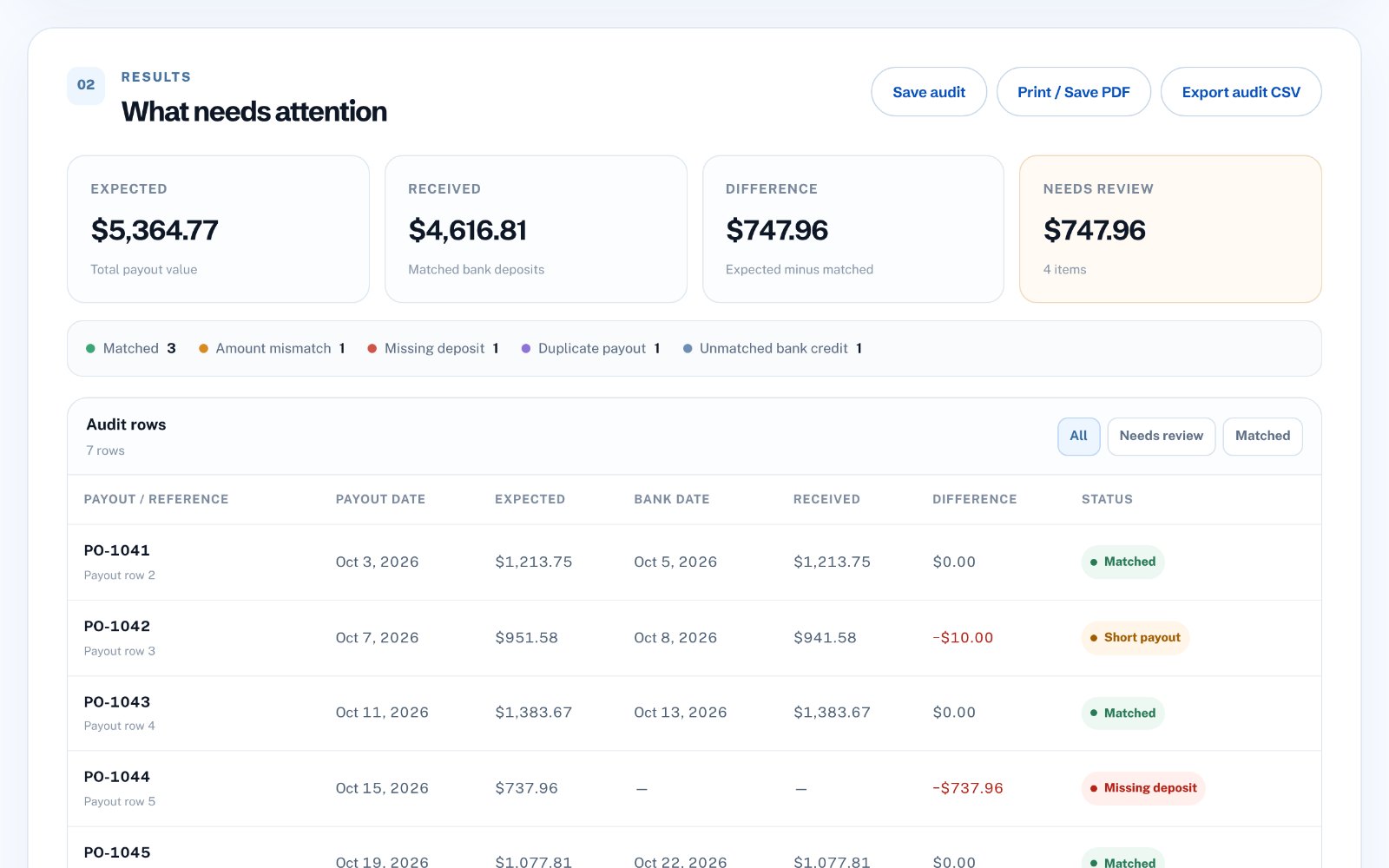
A payout with no deposit after a week is worth a message to the provider or the bank. A deposit that is slightly smaller than the payout usually means a bank or conversion fee. Two payouts and one deposit can mean the bank combined them.
Keep a note of each decision. When your accountant asks why a number differs, you will have the answer ready.
Do it in your browser
Matching by hand works for a handful of payouts. For a busy month, Payout Audit compares your Stripe, PayPal or Wise payout export with your bank export directly in your browser. It matches by amount within a tolerance and a date window you choose, and lists what is matched, in transit or missing.
Nothing is connected to your bank and your files stay on your computer. It costs $19 once.