Why the deposit alone is wrong
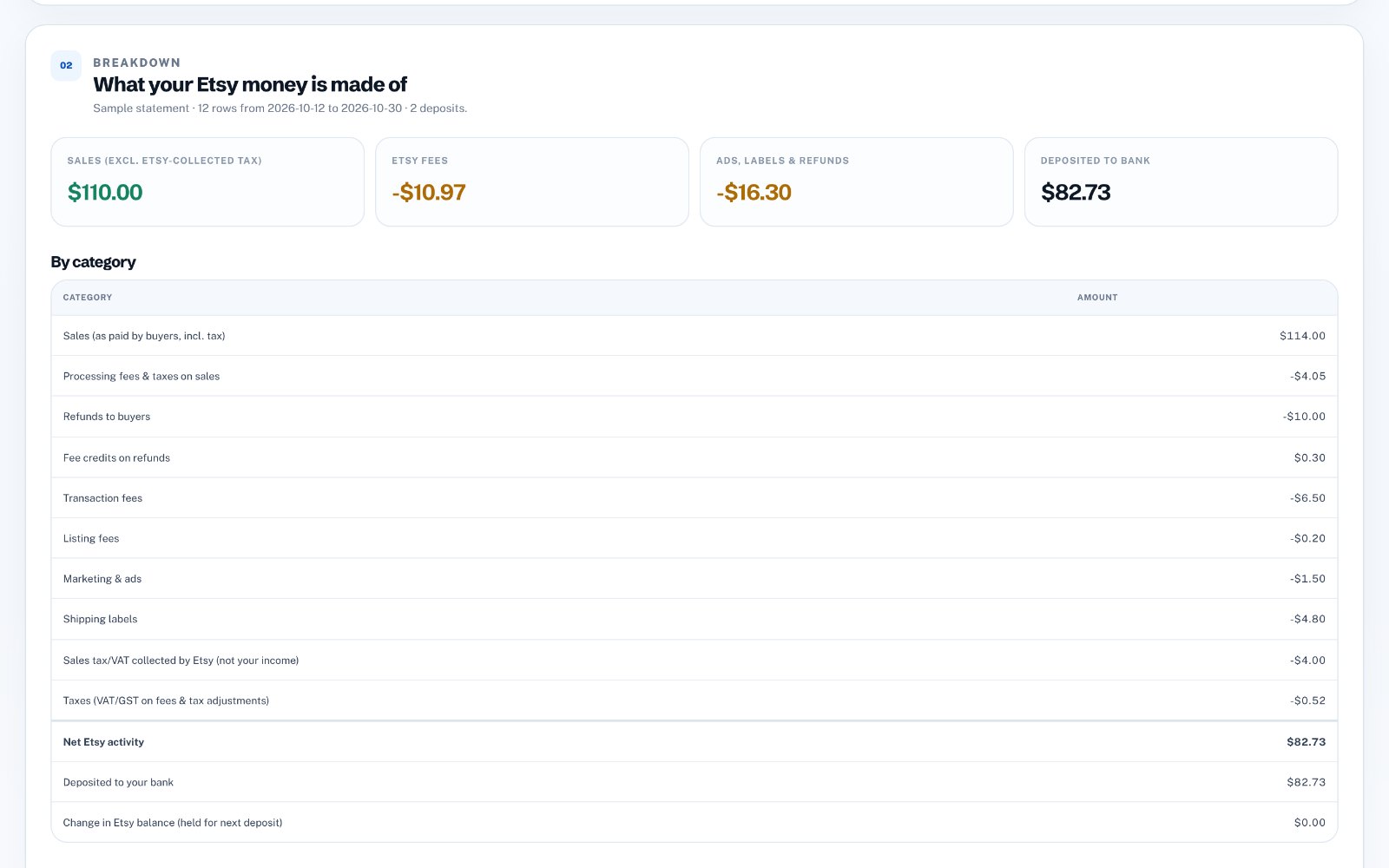
The deposit is net of fees, ads, labels, refunds and sometimes tax. If you only record the deposit as income, your revenue is too low and your deductible Etsy expenses disappear from your profit and loss report.
Create a clearing account
Add an "Etsy Clearing" account in your chart of accounts. Every Etsy journal entry posts its net amount there, and every deposit moves money out of it to your bank. Over time it should stay close to zero.
Write one journal entry per deposit
Credit Etsy Sales with gross sales excluding Etsy-collected tax, debit Refunds, debit each fee type, and debit Etsy Clearing with the net. Use the deposit date so the entry sits next to the matching bank transaction.
Match the bank deposit
When the deposit arrives in your bank feed, categorise it as a transfer from Etsy Clearing. Differences usually come from reserves or timing and clear in the next period.
Import entries in bulk
QuickBooks Online can import journal entries from a spreadsheet with columns such as Journal No, Journal Date, Account, Debits, Credits and Description. Make sure the account names match your chart of accounts exactly, and check the date format matches your company settings.
Create the QuickBooks file automatically
zastech Etsy Payout Breakdown converts your Etsy monthly statement into QuickBooks journal-entry rows, one balanced entry per deposit, using your account names. It also shows a clear breakdown of sales, fees and tax. No Etsy or QuickBooks login is needed, and three breakdowns are free.