What an aging report shows
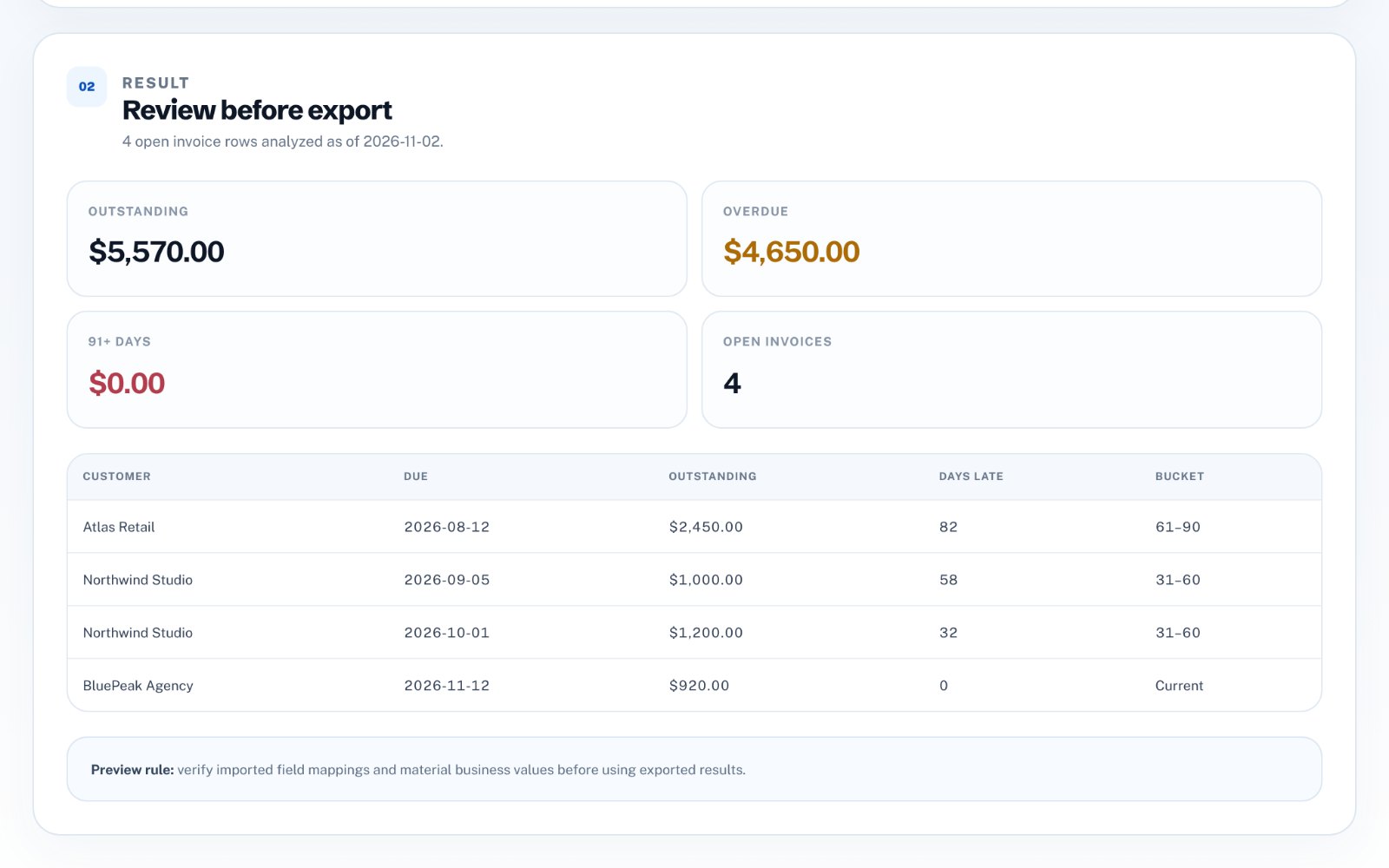
Each open invoice is placed in a bucket based on the number of days past its due date on a chosen "as of" date. Totals per bucket show how much of your receivables are current and how much is getting old-and older debts are harder to collect.
- Current - not yet due
- 1-30 days overdue
- 31-60 days overdue
- 61-90 days overdue
- 91+ days overdue
The data you need
You need one row per open invoice with the customer, the due date and the amount. If customers make partial payments, include the amount paid so the report can use the outstanding balance instead of the original total.
- Customer name
- Invoice number (recommended)
- Due date
- Invoice amount
- Amount paid so far (if any)
Calculate days overdue correctly
Days overdue is the as-of date minus the due date, counted in calendar days. Use the due date rather than the issue date, and make sure every date is read in the same format-a file that mixes 05/10/2026 written day-first and month-first will put invoices in the wrong buckets.
Read the report and act on it
Look at the oldest buckets first and the largest balances within them. A customer appearing in several buckets may have a process problem on their side, such as a missing purchase order, rather than a cash problem.
- Send reminders for 1-30 days
- Phone or escalate at 31-60 days
- Review terms and pause new work beyond 60 days
- Consider formal collection beyond 90 days
Keep the trend, not just the snapshot
Run the report on the same day each month and keep the exports. A growing 31-60 bucket is an early warning that payments are slowing, even before anything is seriously overdue.
Build one in your browser
zastech Accounts Receivable Aging Analyzer reads a CSV or Excel list of invoices, detects the customer, due date, amount and paid columns, and produces the aging buckets, overdue totals and a sorted list of open invoices as of any date you choose. The analysis runs locally in your browser, and the first three exports are free with no signup.